
PAN India Presence
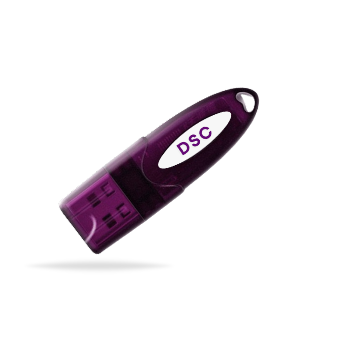
*Authorized DSC
18-Aug-2026
DSC for Company Secretaries: Where and How Is It Used?
A Company Secretary's compliance work doesn't stop at preparing forms. Those forms often need to be digitally authenticated before they can move forward.
That's where a Digital Signature Certificate (DSC) comes in. From company incorporation and DIN-related processes to MCA filings and other regulatory submissions, a DSC helps Company Secretaries securely sign and authenticate documents online.
But where exactly does a CS use a DSC, and what does the process look like?
Let's break down where and how Company Secretaries use DSC in their professional work.
Want to buy Digital Signature for Company Secretary? Get your Capricorn DSC now!
Role of Company Secretaries (CS)
A Company Secretary (CS) plays an important role in an organisation. They help the company follow corporate laws and compliance requirements.
A CS handles many tasks related to the company's legal and statutory work. This can include company incorporation, MCA filings, annual compliances, and director-related processes.
They also help maintain important company records. They may handle board-related documentation and other regulatory requirements.
Much of this work is now done online. This makes digital tools an important part of a CS's daily work. A Digital Signature Certificate (DSC) is one such tool. It allows Company Secretaries to digitally sign and authenticate documents where required.
Where Do Company Secretaries Use DSC?
For Company Secretaries, the MCA portal is one of the primary places where DSC is used. Several company-related processes and statutory filings require digital authentication, making DSC a regular part of a CS's compliance workflow.
Some of the key areas include:
1. Company Incorporation
During the incorporation of a company, DSC is used to digitally sign and authenticate the required incorporation forms and documents.
2. DIN-Related Processes
Company Secretaries may use DSC for various DIN-related applications, filings, and updates handled through the MCA system.
3. Annual Compliance Filings
Annual filings, including forms related to annual returns and financial statements, may require digital signatures as part of the filing and certification process.
4. Director-Related Filings
DSC can be used for filings related to the appointment, resignation, or changes concerning directors, wherever digital authentication is required.
5. Other Filings
Beyond incorporation and annual compliance, Company Secretaries use DSC for several event-based and company-related filings.
How Does a Company Secretary Use a DSC?
A DSC used by a Company Secretary is issued in the individual name of the CS, not in the name of the company they work for or represent. The certificate contains the CS's identity details and is used to authenticate their digital signature.
When a CS needs to sign an MCA form or other applicable filing, they use their DSC to digitally sign the document. The DSC helps verify that the document has been signed by the authorised individual and has not been altered after signing.
The Company Secretary uses Digital Signature by:
1. Connect the DSC token to the computer.
2. Open the relevant government or regulatory portal.
3. Complete the required form or filing.
4. Select the DSC for digital signing.
5. Enter the DSC token PIN.
6. Complete the digital signature and submit the filing.
Are you a CS? Then why wait? Buy Digital Signature Certificate today!
Final Words
For Company Secretaries, a DSC is an important part of handling digital compliance work. It helps them sign and authenticate documents securely without relying on physical signatures.
From MCA filings and company incorporation to DIN-related processes and other regulatory submissions, a DSC can be required at different stages of a CS's work.
Since the DSC is issued in the individual name of the Company Secretary, it should be kept secure and used only by the authorised holder. Keeping the DSC valid and ready can also help avoid delays during time-sensitive filings. If the DSC is about to expire, get the DSC Renewal done as well!
FAQ
1. Can a Company Secretary use a Class 3 DSC for MCA filings?
Yes. A Company Secretary can use a Class 3 DSC for MCA filings where digital signing is required. The DSC must be registered with the CS's MCA profile before it can be used for filing.
2. Where is DSC used by Company Secretaries?
A DSC is mainly used by Company Secretaries for MCA and ROC-related work. It can be required for company incorporation, annual filings, director-related forms, and other applicable statutory submissions. A CS may also use the DSC on other government portals when their work requires it.
3. Can a Company Secretary use DSC for ROC filings?
Yes. ROC filings are submitted through the MCA portal. When a particular ROC form requires a digital signature, the Company Secretary can use their DSC to sign and authenticate the filing.
4. Is DSC required for filing forms on the MCA portal?
Not every MCA form follows the same signing requirement. However, when a form requires a digital signature, the authorised person must use a registered DSC to complete the filing.
5. How can a Company Secretary register a DSC on the MCA portal?
First, the CS needs an active DSC and the required signing utility on their computer. They can then log in to the MCA V3 portal and use the Associate DSC option. After selecting the certificate and entering the DSC PIN, the registration can be completed.
Want to know how to register DSC on MCA portal? READ HERE!
6. What documents are required to obtain a DSC for a Company Secretary?
The documents depend on the Certifying Authority (CA) and the verification method used. If you are applying through Capricorn CA, the applicant needs to provide identity and address details and complete the required verification.
A CS may also need to provide professional details, such as their CS membership information, depending on the DSC being obtained.