PAN India Presence
*Authorized DSC
14-Aug-2026
DSC Password Forgotten | How to Reset or Unlock DSC Token
DSC password forgotten. Locked token. What now?
Forgetting your DSC token password can quickly become a problem when you need to sign documents or access a government portal.
A few wrong attempts can also lock the token, leaving you all confused.
What will you do next?
Let's understand it all in this guide!
DSC Token PIN
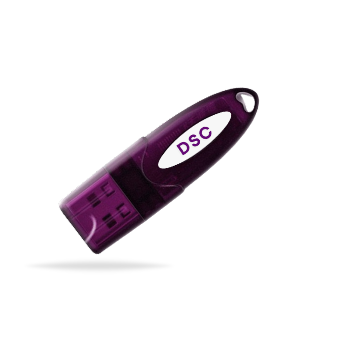
A DSC token PIN is the password used to access the Digital Signature Certificate stored inside your USB token. You need to enter this PIN when using your DSC to sign documents or complete activities on portals that require a digital signature.
The PIN adds an extra layer of security to your DSC. Even if someone has physical access to your USB token, they cannot use the certificate without knowing the PIN.
The default PIN for many DSC tokens is 12345678. During the initial setup, you can change this default PIN and set one of your choice. Make sure to remember the new PIN, as it is required to access and use the DSC stored in the token.
DSC Password Forgotten! What Next?
You just forgot DSC password! These are the steps to follow:
1. Check the Default PIN
If you have never changed the token PIN, check the default PIN provided by the token manufacturer.
For many DSC tokens, it is 12345678, but this can vary by token model.
2. Avoid Repeated Attempts
Do not keep guessing the PIN. Multiple incorrect attempts may lock the token, making it harder to access your DSC.
3. Check the Token Status
Use the token management software to check whether your token is active or locked. Some utilities also show the remaining login attempts.
4. Contact Your Provider
If you cannot access the token, contact your Certifying Authority or token provider. They can guide you on whether the token can be unlocked, reset, or needs to be replaced.
DSC token password forgotten! READ HERE to find out what to do!
Can a Forgotten DSC Token Password Be Reset?
Searching for how to reset DSC password all over the internet?
Whether you can reset a forgotten DSC token PIN depends on the token model and its security features.
However, a forgotten PIN cannot always be recovered or reset directly.
If you have completely forgotten the PIN or the token has been locked after multiple failed attempts, DSC password reset or recovery is not possible.
Final Words
Forgot DSC password? This guide is all you need.
Forgetting your DSC token PIN can be frustrating, but it does not always mean that your DSC is lost. The right solution depends on your token model, its security settings and whether the token is already locked.
Avoid repeated PIN attempts and unofficial unlocking methods. If you cannot access your token, contact your Certifying Authority or token provider for the appropriate guidance.
Keeping your DSC PIN securely stored can also help you avoid such issues in the future.
Frequently Asked Questions
1. Is a forgotten DSC password reset possible?
No. A DSC token password reset is not possible.
A forgotten DSC token password cannot be reset or recovered. If you forget the password, you will need to purchase a new DSC.
2. How to unlock DSC token if it is locked?
A locked DSC token cannot be unlocked. You will need to purchase a new DSC to continue using digital signing services.
3. What happens if I enter the wrong DSC password multiple times?
Multiple incorrect attempts can lock the DSC token. Once locked, the token cannot be unlocked, and a new DSC will need to be purchased.
4. Can I recover my DSC token password without losing my certificate?
No. A forgotten DSC token password cannot be recovered. If you cannot access the token, you will need to purchase a new DSC.
5. How do I reset the PIN of a DSC USB token?
If you have forgotten the PIN, it cannot be reset. If the token is locked or inaccessible, you will need to purchase a new DSC.
6. Is the DSC password the same as the Digital Signature Certificate password?
The password used to access a DSC stored in a USB token is generally called the token PIN. It protects the DSC stored on the token and is different from the password used to log in to government portals.