
PAN India Presence
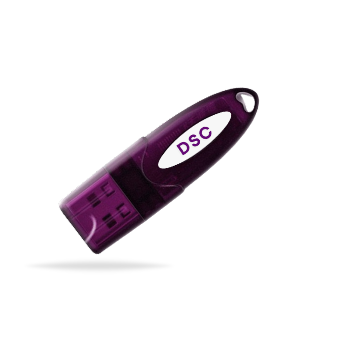
*Authorized DSC
31-Jul-2026
Complete Guide to Using a USB Token with DSC
A USB token and a Digital Signature Certificate (DSC) always work together.
At first glance, a USB token looks just like an ordinary pen drive. But don't let its appearance fool you. It's a secure hardware device that works hand in hand with a Digital Signature Certificate (DSC) to protect your digital identity and enable secure electronic signing.
So, how do a USB token and a DSC work together to create secure digital signatures? Let's find out!
Secure your digital identity with Capricorn CA!
Choose from multiple USB token options and buy DSC that's trusted by professionals, businesses, and government users across India.
What is a USB Token?
A USB token is a secure hardware device used to store the private key of a Digital Signature Certificate (DSC).
Although it resembles a regular pen drive, it is built with advanced cryptographic technology that keeps your digital credentials protected from unauthorized access.
What is a Digital Signature Certificate (DSC)?
A Digital Signature Certificate (DSC) is a secure digital credential that verifies the identity of an individual or organization during online transactions. It is issued by a licensed Certifying Authority (CA) and is used to sign electronic documents with the same legal validity as a handwritten signature.
A DSC uses Public Key Infrastructure (PKI) technology, which works with two cryptographic keys:
Public Key – Used to verify the digital signature.
Private Key – Used to create the digital signature and must always remain secure.
How are USB tokens and DSC related?
A USB token and a https://www.certificate.digital/dsc/ (DSC) are designed to work together. While the DSC serves as your digital identity, the USB crypto token acts as its secure storage and protection mechanism.
When a DSC is issued, it is paired with a public key and a private key. The public key is used to verify your digital signature, while the private key is used to create it. Since the private key is confidential, it must be protected from unauthorized access.
This is where the USB token comes into the picture. The private key associated with the DSC is securely stored inside the USB token, ensuring it cannot be copied, extracted, or misused. Whenever you digitally sign a document, the USB token performs the cryptographic operation internally using the private key. At no point does the private key leave the device, making the signing process highly secure.
Why is a USB Token for DSC Important: Advantages
Here's why a DSC USB token is important:
Protects the private key – Stores it securely so it cannot be copied or stolen.
Prevents unauthorized access – A PIN is required before the DSC can be used.
Ensures secure signing – The private key never leaves the USB token during the signing process.
Meets security standards – Complies with the security requirements for using DSCs.
Portable and convenient – Easy to carry and use on compatible computers.
Types of USB Tokens Used in India
HYP2003 – One of the latest DSC USB tokens widely used. Introduced in 2011 with the name ePass2003 and renamed in 2022 as HYP2003.
Watchdata ProxKey – Introduced to the Indian market in June 2014 and has grown into one of the most popular USB tokens for Digital Signature Certificates.
Gemalto SafeNet eToken 5110 – An enterprise-grade USB token from Thales, used globally for strong authentication and digital signatures.
mToken – Received FIPS 140-2 Level 3 certification in 2016, making it a trusted USB token for securely storing and using Digital Signature Certificates.
PRECISION InnaITKey – A cryptographic USB token designed for secure key storage and PKI-based authentication. It is one of the latest-generation tokens introduced in India's
At Capricorn CA, we understand that every user has different preferences and system requirements. That's why we offer Digital Signature Certificates with multiple USB token options, allowing you to choose from multiple Digital Signature USB devices, all designed for secure and reliable digital signing.
Want to know more about USB Token for DSC? Just CLICK HERE!
How to Use a USB Token with DSC: Step-by-Step
Step 1: Install the USB Token Driver
Install the driver or middleware provided with your USB token. This allows your computer to detect and communicate with the token.
Step 2: Connect the USB Token
Insert the USB token into an available USB port on your computer. Wait for the system to recognize the device.
Step 3: Verify the DSC
Open the token management utility to ensure your Digital Signature Certificate is visible and ready to use.
Step 4: Access the Required Portal or Application
Open the website or software where you want to use your DSC, such as the GST Portal, MCA Portal, ICEGATE, or a PDF signing application.
Step 5: Select Your Digital Signature Certificate
When prompted, choose the appropriate DSC from the list of available certificates.
Step 6: Enter the USB Token PIN
Enter the PIN associated with your DSC token to authorize access to the private key.
Step 7: Complete the Digital Signing Process
Once the PIN is verified, your document or transaction will be digitally signed securely using the private key stored inside the USB token.
Ready to get started? Buy DSC online from Capricorn CA.
Final Words
A USB token plays a vital role in keeping your Digital Signature Certificate (DSC) secure. While it may look like a regular pen drive, it is a specialized cryptographic device that protects your private key and ensures that every digital signature is created safely and securely.
Whether you're filing returns, participating in e-tenders, or signing important documents, using a trusted USB token helps protect your digital identity and ensures compliance with security standards.
Frequently Asked Questions (FAQs)
1. How do I install a USB Token for a DSC?
Install the USB token driver provided by the manufacturer, connect the token to your computer, and verify that your DSC is visible using the token management utility. Once installed, the token is ready to be used for digital signing.
2. How do I configure a DSC Token on Windows?
After installing the correct driver, insert the USB token into your Windows computer. The system will detect the device, allowing you to access your DSC through compatible portals or digital signing applications.
3. Which USB Tokens are supported for Class 3 DSC?
OR
Name some Class 3 DSC USB tokens.
Class 3 DSCs can be used with several CCA-approved USB tokens, including HYP2003, Watchdata ProxKey, Gemalto SafeNet eToken 5110, mToken, and PRECISION InnaITKey. The available token depends on your Certifying Authority (CA).
4. How do I use a USB Token to digitally sign a document?
Connect the USB token, open the document or portal where you want to sign, select your DSC, enter the token PIN, and complete the signing process. The digital signature is created securely within the USB token.
5. Can I use the same USB Token on multiple computers?
Yes. You can use the same USB token on multiple computers, provided the required USB token driver is installed on each system and the applications support DSC-based signing.
6. What should I do if my USB Token is not detected?
First, reconnect the USB token and try a different USB port. If the issue persists, ensure the correct driver is installed, restart your computer, or reinstall the token driver. If the token is still not detected, contact your Certifying Authority or USB token provider for assistance.