PAN India Presence
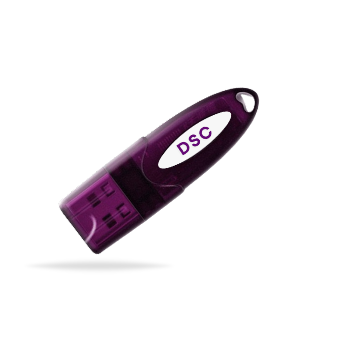
*Authorized DSC
13-Jul-2026
Class 3 DSC: Uses, Registration, Installation & Renewal
Secure online transactions start with a trusted digital identity. And in today's digital-first world, where work moves at the speed of a click, every click needs to be secure.
A Class 3 Digital Signature Certificate (DSC) provides that trust by verifying your identity and enabling legally valid digital signatures.
However, many users still have questions about how a Class 3 DSC works, where it can be used, how to register and install it, and when it should be renewed. Let's simplify each of these aspects quickly!
Looking to buy Class 3 DSC online? Choose a trusted provider like Capricorn CA for a quick, secure, and hassle-free issuance process.
Digital Signature Certificate (DSC)
A Digital Signature Certificate (DSC) is a secure digital credential that verifies the identity of an individual or organization while signing electronic documents or accessing online services.
It is issued by a Licensed Certifying Authority (CA), such as Capricorn CA, under the provisions of the Information Technology Act, 2000, making digitally signed documents legally valid in India.
What is a Class 3 DSC?
A Class 3 Digital Signature Certificate (Class 3 DSC) is the highest class of Digital Signature Certificate issued in India.
Since the discontinuation of Class 1 and Class 2 DSCs, Class 3 DSC has become the standard Digital Signature Certificate for individuals, businesses, and professionals. It is accepted across major government portals such as the Income Tax Portal, GST Portal, MCA, DGFT, ICEGATE, GeM, EPFO, and various eProcurement platforms.
Uses of Class 3 DSC
A Class 3 Digital Signature Certificate (DSC) is widely used by businesses, professionals, and individuals. Some of the most common uses of a Class 3 DSC include:
Income Tax Filing
A Class 3 DSC is used to digitally sign and submit Income Tax Returns (ITR), tax audit reports, and other forms on the Income Tax e-Filing portal.
GST Compliance
Businesses and GST practitioners use a Class 3 DSC to file GST returns, register businesses, and complete various GST-related compliances securely.
MCA Compliance
Company directors and authorized signatories use a Class 3 DSC to file forms, annual returns, and statutory documents on the MCA V3 portal.
eTendering and eProcurement
Government departments and PSUs require a Class 3 DSC to participate in eTendering and eProcurement processes.
DGFT and ICEGATE
Importers, exporters, and customs brokers use a Class 3 DSC to submit applications, licenses, shipping bills, and customs-related documents on DGFT and ICEGATE portals.
GeM Portal
Vendors and service providers use a Class 3 DSC for registration, bid submission, and contract-related activities on the Government e-Marketplace (GeM).
EPFO Services
Employers use a Class 3 DSC to digitally sign and submit employee-related forms and compliances on the EPFO portal.
And more…
Registration of a Class 3 DSC on Government Portals
Obtaining a Class 3 Digital Signature Certificate (DSC) is only the first step. Before you can use it to sign forms, submit applications, or access secure services on a government portal, you must register the DSC on that portal.
Steps to Register a Class 3 DSC
1. Log in to the government portal using your registered account.
2. Navigate to the Register DSC, Update DSC, or Digital Signature section.
3. Connect your USB Token and ensure the required signer utility or drivers are installed (if applicable).
4. Select your Class 3 DSC from the list of available certificates.
5. Authenticate the certificate by entering your token PIN or completing the required verification.
6. Submit the registration request.
7. Once the registration is successful, your DSC will be linked to your account and will be ready for use.
Class 3 DSC Installation
Before you can use your Class 3 Digital Signature Certificate (DSC), it must be properly installed and configured on your computer.
DSC installation is the process of setting up your Digital Signature Certificate so that it can communicate with your computer and compatible software.
The installation process ensures that your system can detect the certificate and use it for authentication and digital signing on supported applications and government portals.
Depending on the type of DSC issued, this may involve installing the USB Token driver, configuring the required signer utility, or importing the certificate into your system. Once installed, your Class 3 DSC becomes ready to authenticate your identity and digitally sign documents whenever required.
Class 3 DSC Renewal
A Class 3 Digital Signature Certificate (DSC) is issued with a fixed validity period. Once it expires, it can no longer be used to sign documents or authenticate your identity.
To avoid interruptions in your work, it is recommended to renew your DSC before its expiry date.
How to Renew Digital Signature Certificate?
01. Sign In to Your Account
Log in to your Capricorn account and navigate to the DSC Renewal section to begin the renewal process.
02. Verify Your Identity
Complete the required identity verification as mandated by the Controller of Certifying Authorities (CCA). Fresh verification is mandatory for every DSC renewal.
03. Submit the Renewal Request
Select your preferred renewal option, complete the payment, and submit your application for processing.
04. Download the Renewed DSC
After your application is approved, download your renewed Class 3 Digital Signature Certificate and install it for continued use.
If you're planning to buy Class 3 DSC online or renew an existing one, choose a Licensed Certifying Authority like Capricorn CA to ensure a secure, compliant, and hassle-free issuance process.
Final Words
A Class 3 Digital Signature Certificate (DSC) has become an essential tool for secure and legally recognized digital transactions in India.
Understanding how to use, register, install, and renew your Class 3 DSC allows you to make the most of its capabilities and avoid unnecessary interruptions caused by installation issues or certificate expiry.
FAQ
Q1. How do I renew my Class 3 DSC online?
To renew your Class 3 DSC online:
1. Log in to your account with your Certifying Authority or DSC provider.
2. Select the DSC Renewal option.
3. Complete the required identity verification.
4. Make the renewal payment.
5. Submit your application.
6. Download and install the renewed DSC after approval.
Q2. Can I renew my Class 3 DSC before it expires?
Yes. You can renew your Class 3 DSC before it expires, and doing so is recommended to avoid any interruption in using digital signature services.
Q3. What happens if my Class 3 DSC expires?
An expired Class 3 DSC becomes invalid and cannot be used to digitally sign documents, authenticate your identity, or access services that require a valid DSC until it is renewed or replaced.
Q4. Can I renew an expired Class 3 DSC?
Yes. An expired Class 3 DSC can generally be renewed by completing the required identity verification and renewal process, subject to the Certifying Authority's guidelines.
Q5. Is Aadhaar verification required for Class 3 DSC registration?
Yes. Identity verification is mandatory for Class 3 DSC registration, and Aadhaar-based verification is one of the commonly accepted methods as per CCA guidelines.
Q6. What is the Class 3 DSC price?
The Class 3 DSC price depends on factors such as the:
- Certificate type (Signing or Combo),
- Validity period
- Certifying Authority, etc.
Prices may also vary based on additional services provided by the issuer.