15-Oct-2025
How to Register, Associate, & Update DSC on MCA V3 Portal?
The MCA V3 portal is often used by professionals and businesses. Whether it's for safely filing compliance documents or submitting electronic forms. Everyone in charge of filings, from directors to company secretaries, needs to make sure their DSC is correctly associated, registered, and current.
Delays and unsuccessful submissions may result from improper registration or an out-of-date Digital Signature Certificate. Timelines for compliance may be impacted by this. Knowing the right procedure is crucial because the MCA V3 site offers role-based DSC administration and improved security.
Thus, a comprehensive guide to registering, associating, and updating your DSC on MCA V3 is provided here. It might guarantee the smoothness, security, and complete compliance of your paperwork.
MCA Portal V2 vs V3
A significant change has been made to the MCA portal. On May 24, 2021, the Ministry of company Affairs (MCA) unveiled the MCA V3 portal, a cutting-edge platform for compliance services and company filings. MCA V3 is currently the platform for MCA-related filings after the switch from MCA V2 to V3 was finished in 2025.
Compared to the previous MCA V2 portal, MCA V3 offers a more contemporary interface, improved security, and updated Digital Signature Certificate (DSC) procedures. Businesses and professionals can finish their filings accurately and prevent needless delays by being aware of how MCA V3 operates and how digital signature requirements have changed.
Key Differences:
1. Forms
MCA V2 Portal: In MCA V2, users had to download PDF forms, fill them offline, and then upload them.
MCA V3 Portal: MCA V3 has fully web-based forms that can be filled out directly in the browser.
2. Saving In-progress Forms
MCA V2 Portal: V2 didn't allow saving partially completed forms, so users had to complete everything in one go.
MCA V3 Portal: V3 now auto-saves your progress for complex forms like AOC-4 or MGT-7. An offline Excel utility is also given.
3. Data Entry
MCA V2 Portal: Previously, all information had to be entered manually for each form.
MCA V3 Portal: V3 now pre-fills many fields using existing company data, reducing manual work and errors.
4. Filing Structure
MCA V2 Portal: V2 treated each form separately.
MCA V3 Portal: V3 introduces a linked filing system, so related forms, like AOC-4 and CSR-2, are submitted together as a single process.
5. Error Checking
MCA V2 Portal: In V2, errors were detected only after uploading, often causing rejections and repeated filings.
MCA V3 Portal: V3 now validates your inputs in real time, minimizing mistakes and delays.
How to Register DSC on MCA V3?
Follow all the steps mentioned below to know how to register DSC on MCA
V3 Portal (MCA DSC registration):
Step 1: Log in to MCA V3
- Visit the official MCA V3 portal to start with your MCA DSC registration.
Step 2: Navigate to DSC Registration
- Go to ‘MCA Services' -> ‘Associate DSC' in your dashboard.
- Select your user type/role (e.g., Manager/Secretary, Practicing Professional, Authorized Representative).
Step 3: Connect Your DSC
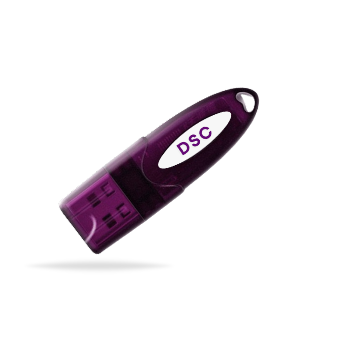
- Plug in your USB DSC token into your computer.
Step 4: Enter Your PAN and Other Details
Enter your PAN along with other details such as name, date of birth, etc.
Step 5: Upload DSC and Verify
- Enter your email address.
- Select the digital signature to upload and enter the DSC password.
- Verify the details carefully before submitting.
Step 6: Complete the Registration
- Once validated, click ‘Submit'.
- You will see a confirmation message confirming successful DSC registration.
How to Update DSC on MCA V3 Portal?
Want to know how to update DSC on MCA V3 portal? Just follow this step-by-step procedure given below:
Step 1: Log in to MCA V3
- Visit the official MCA V3 Portal.
Step 2: Navigate to the DSC Update Section
- Go to ‘DSC Services' -> ‘Update DSC' on your dashboard.
Step 3: Select the Appropriate Option
- Choose one of the following options:
Update DSC for Bank Official/Nodal Administrator, or
Update DSC for Business Users — depending on your role.
Step 4: Log In to Your Account
- Enter your username, password, and captcha, then click ‘Sign In'.
Step 5: Upload and Update the New DSC
- Click on ‘Select Certificate' next to New Digital Certificate.
- Browse and select your new DSC for MCA from the token.
- Click on ‘Update' to successfully upload and link your new digital signature.
Want to Buy DSC for MCA online? Get Capricorn DSC today!
In conclusion
You are now prepared to use the MCA portal. You are aware of MCA Associate DSC V3, how to update DSC on the MCA V3 portal, and how to register DSC on MCA V3.
The security of your company's electronic filing procedure is guaranteed by the registration, association, and prompt updating of your DSC.
Additionally, Capricorn CA provides legally valid, government-approved digital signatures if you're looking for a trustworthy DSC for MCA online. Trusted by thousands of Indian businesses and professionals.